•
Boostiko Team

Prop Firm Email Preference Center: Give Traders Better Control
A prop firm email list is not useful because it is large. It is useful when people understand what they signed up for and receive messages that match that choice.
Many lists mix everything together. A person who wants rules updates receives promotional offers. A customer who wants education gets every community announcement. Someone who no longer wants marketing must leave the list completely because there is no simpler choice.
That approach creates more complaints, weaker engagement, and a poor customer experience. It also makes it harder for the team to know which messages are genuinely wanted.
A prop firm email preference center fixes that. It gives traders a clear way to choose the marketing they want, stop the marketing they do not want, and keep service messages separate from promotions. It is not a legal shortcut. It is an operational tool that supports better consent handling, clearer communication, and a healthier sender reputation.
This guide explains how to build one. It is general operational guidance, not legal, regulatory, or financial advice. A prop firm should have qualified reviewers assess its products, markets, permissions, disclosures, data practices, and local obligations.
Start with the real problem
A preference center is not a decorative page with five checkboxes. It only works if the choices change what the person receives.
Start by looking at the messages your firm already sends. Most fall into a small number of groups:
operational account messages
product or rules updates
educational content
event and community news
commercial offers
The first group is different from the rest. A password reset, login warning, account status notice, or confirmed payment message has a service purpose. It should not be mixed with an offer just because the email is going to an existing customer.
The U.S. Federal Trade Commission says the primary purpose of an email determines whether it is commercial or transactional or relationship content under CAN-SPAM. Adding a short account update to a promotion does not automatically make the message operational. 1
This gives a practical test for prop firms. If the subject line, opening copy, or main call to action is selling a program, an upgrade, or an offer, treat it as marketing. Send it only to the right audience. Include the required controls. Do not hide it inside a service email.
Use categories that traders can understand
A useful preference center should use simple labels. Do not ask a trader to choose between internal names such as “lifecycle segment three” or “high intent audience.” They do not know what that means, and they should not have to.
A practical setup can use four marketing choices:
Education and trading resources
This covers guides, platform walkthroughs, rule explainers, and educational material. The content should stay clear about its purpose. It should not present trading outcomes as guaranteed or use education as a disguise for an offer.
Program and product updates
This covers new program announcements, changes to non-essential product features, and updates that a person has elected to receive. If an update is materially important to an existing customer, decide with qualified reviewers whether it belongs in an operational message instead of relying only on a marketing preference.
Community and events
This includes webinars, community sessions, live Q and As, and events. A trader who wants program education may not want invitations every week. Giving them a separate choice keeps this category honest.
Offers and promotions
This includes sales, discounts, launch messages, and commercial reminders. Make this option plain. Do not call it “exclusive opportunities” if it means promotions.
The wording matters. The UK Information Commissioner’s Office says marketing email to individuals generally requires specific consent, subject to a limited soft opt-in for an organisation’s own similar products and existing customers. It also requires a valid route to opt out or unsubscribe and says a sender must not conceal its identity. 2
A category is only useful when your system can honor it. Do not offer “education only” if the person will still receive promotions. Do not offer “no offers” if a campaign sends to everyone by default.
Always include a full marketing unsubscribe
Category controls are helpful, but they do not replace the option to stop all marketing messages.
The FTC says a sender may use a menu to let recipients opt out of certain message types, but the sender must still provide an option to stop all marketing messages. The opt-out route must be clear and easy to use. 1
Put that option in the preference center in plain language:
Stop all marketing emails
Do not make the person log in, answer a survey, or explain why they want to leave. A short optional feedback question is fine after the choice is completed. It should never block the choice.
The same rule should apply when someone clicks the unsubscribe link in an email. The link can take them to a page where they refine preferences, but the one-click outcome must remain clear. The person should not have to untick several categories to achieve the result they expected.
Keep service and marketing communication separate
This is where many prop firm email programs go wrong. An active trader could receive a rule clarification, account notice, security update, and a promotional campaign in the same week. That does not mean every message should use the same sender, layout, audience rule, or approval path.
Create separate message families:
Operational communication covers account access, security, payment confirmations, material rule changes, support notices, and other messages tied to an existing relationship. It should be factual, clearly sourced, and sent only when needed.
Marketing communication covers offers, optional education, community invitations, and product discovery. It should respect the person's consent or other valid sending basis, plus the preference settings and global suppressions in your system.
The distinction protects the customer experience. A trader should be able to tell whether an email requires action, provides useful information, or promotes something. They should not need to open every message to find out.
It also supports a clear review process. Marketing teams can plan campaigns without changing an account notice. Operations teams can send necessary service information without using a promotional template. Compliance or legal reviewers can assess product claims and risk language in the right context.
Build the data model before designing the page
The visible preference center is only the front end. The important part is the data and sending logic behind it.
For each contact, the system should be able to record:
the source of the signup or consent
when the preference was selected or changed
the selected categories
global unsubscribe status
hard bounces and spam complaints
relevant country or market information where lawfully collected and needed
current customer or account state
any campaign-level exclusions
Do not put sensitive support history into a broad marketing audience. Do not continue checkout reminders after a person purchases. Do not send new-customer offers to an active account holder just because they selected educational content months ago.
Every category should have an owner. A lifecycle owner can define the segment. A technical owner can confirm the event is being stored. A product owner can confirm the message is accurate. A compliance or legal owner can review restricted claims and disclosures where needed. A customer support owner can confirm the help route.
This is not bureaucracy. It prevents a preference choice from becoming an empty promise.
Give every form a clear expectation
The preference center starts long before someone opens it. It starts where an email address is collected.
A form should tell the person what they are signing up for. A rules guide form can say that it will send the guide and occasional educational email if the person opts in. A webinar form can say it will send event logistics and, if applicable, separate marketing choices. A checkout form should not quietly treat a request for payment support as broad consent for every campaign.
Google advises senders to mail people who want their messages, make subscription actions easy, and periodically confirm that recipients still want to stay subscribed. 3
For a prop firm, that can translate into a simple welcome email. Confirm what the person requested. State the sender name. Link to the preference center. Explain the difference between account messages and optional marketing. Then deliver the resource or next step promised by the form.
The first email should build trust, not create confusion.
Write promotion copy that earns attention
A preference center improves delivery, but it cannot rescue confusing or exaggerated messages. The email still has to deserve a place in the inbox.
Use a clear sender name. Make the subject line match the message. Explain what the offer is, who it is for, and where the person can check the current terms. Avoid artificial countdowns, vague claims about access, and statements that imply a funded account, payout, or trading result.
The FCA's communication rules in the cited context require communications and promotions to be fair, clear, and not misleading. They also say benefits should not be emphasised without a fair and prominent indication of relevant risks. 4
Whether a particular prop firm message falls under a specific regulatory framework depends on the firm, audience, product, and jurisdiction. The practical standard still makes sense: do not obscure material conditions, omit relevant risks, or present a benefit as more certain than it is.
A trader who opted in to offers is not asking to be pressured. They are asking for relevant information that helps them make their own decision.
Protect deliverability with real preference logic
A preference center helps only when it changes how often and what you send. If a person chooses education and receives four promotional emails anyway, the likely result is an unsubscribe or complaint.
Google's sender guidelines require SPF or DKIM for all senders to personal Gmail accounts. Higher-volume senders must use SPF, DKIM, and DMARC, align the From domain with SPF or DKIM for DMARC, and provide one-click unsubscribe plus a clear visible unsubscribe link for marketing and subscribed messages. 3
These controls are not optional design details. They are part of the sending system. A solid prop firm setup should also include:
a global suppression list shared across sending tools
exclusion rules that stop a campaign after purchase or opt-out
a clear sending domain and recognizable sender name
a process for monitoring complaints, bounces, and inactive contacts
a periodic review of category definitions and form language
The goal is not to send less for its own sake. The goal is to send with a reason. A smaller, better-defined audience often gives the team clearer feedback than a generic blast sent to everyone.
Test the full subscriber journey
Before launch, test more than the preference page design. Use seed contacts for each category and go through the full path.
Check that:
the signup form records the correct choice
the confirmation or welcome email matches that choice
selected categories change the campaign audience
an all-marketing unsubscribe removes the contact everywhere it should
an account or service message follows its own approved logic
the unsubscribe link works on a phone
the preference page is easy to understand without internal knowledge
support can see the current preference status when needed
Also test after a data sync, platform migration, or new tool integration. Preference problems often appear when a form tool, CRM, help desk, and email platform do not share the same suppression logic.
Keep ownership clear in house and with an agency
A prop firm must own its product facts, customer permissions, applicable rules, data access, risk disclosures, and final approvals. Those decisions should not be outsourced.
The execution spans several specialist roles. Someone has to map the lifecycle, structure the preference data, write the copy, design the emails, build the automations, test the logic, manage deliverability, and review the results. That is often more work than one in-house marketer can carry alone.
Boostiko gives prop firms access to lifecycle strategy, copy, design, technical operations, and deliverability support in one team. Your team keeps control of the product and compliance decisions. We turn approved facts and customer choices into an email system that works in practice.
The Boostiko solution
Boostiko helps prop firms build preference logic that traders can understand and teams can trust. We audit the current list and forms, separate operational and marketing sends, design a simple preference center, build the segments and suppressions, create the templates and flows, and test the customer journey before launch.
We do not promise trading performance, customer funding, payouts, or returns. We help you build a clearer retention system that treats people like customers, not just email addresses.
If your list sends every message to everyone, book a call with Boostiko.
FAQs
What should a prop firm email preference center include?
Use clear marketing categories that your team can actually honor. A practical setup can include education, program updates, community events, and offers. It should also provide a simple option to stop all marketing email.
Can we send account messages after someone unsubscribes from marketing?
Some account or service messages may still be necessary for an existing relationship. Treat that as a product, legal, and compliance decision. Keep service communication separate from promotional email and review the message purpose before sending.
Does a preference center replace an unsubscribe link?
No. A preference center can give people more control, but marketing email still needs a clear route to stop all marketing messages. The FTC specifically notes that category controls do not remove that requirement. 1
Will preferences improve inbox placement?
Preferences do not replace authentication, list hygiene, or complaint monitoring. They can reduce irrelevant sending when the choices are respected. That supports the subscriber expectations described in sender guidance. 3
Can Boostiko decide whether a prop firm campaign is compliant?
No. Boostiko can build the lifecycle, data logic, email design, copy, and testing process. The client and its qualified advisers own legal, regulatory, product, consent, and disclosure decisions.
References
Continue reading



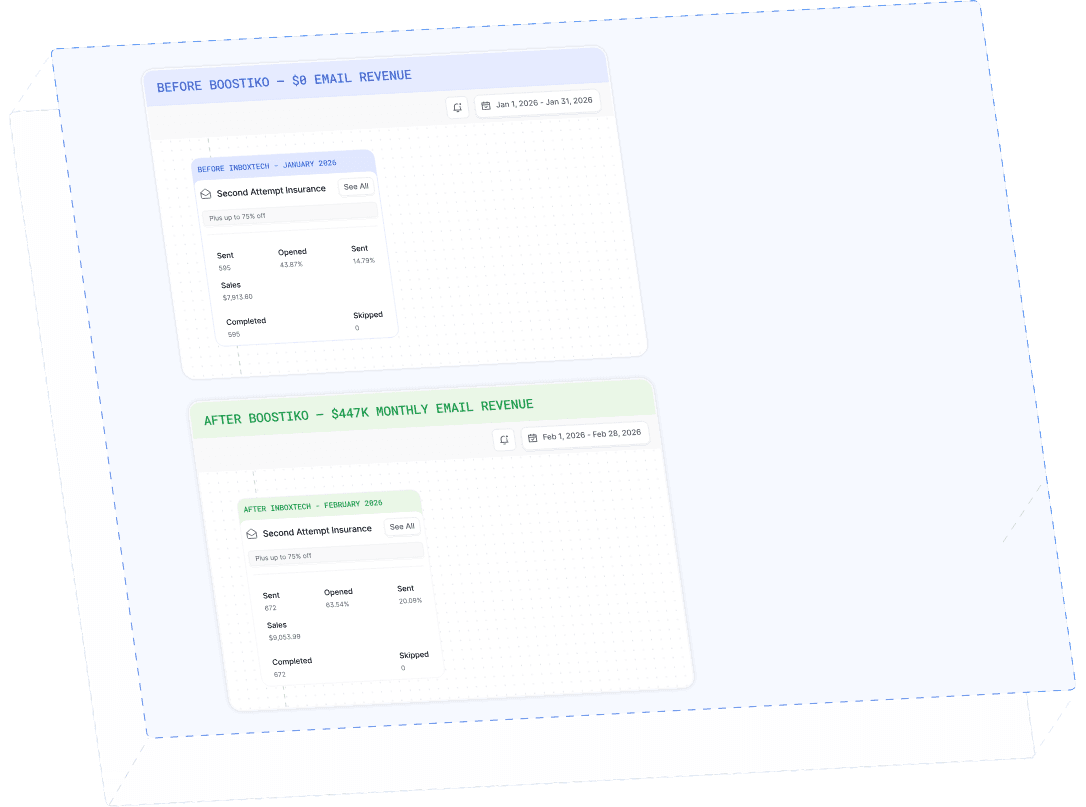
Case Study 01
Leading Prop Firm
$0 - $447K in 3 months
40.7% of total revenue
14 days time to first revenue
$0 to $447,115/month in Added Revenue in 90 Days