•
Boostiko Team

Prop Firm Email Marketing: Build a Clear Payout Update Flow
A payout request is one of the moments when a trader pays close attention to every message from a firm.
They want to know that the request arrived, what happens next, whether they need to do anything, and where they can check the current status. If the email is vague, delayed, or mixed with an offer, it creates unnecessary support questions and weakens trust.
A clear payout email flow does not need complicated copy. It needs reliable triggers, plain status labels, an approved source of truth, and a clean separation between operational messages and marketing. This is general email marketing and operations guidance. It is not legal, financial, trading, tax, or compliance advice. Each firm should review its terms, product structure, markets, consent records, risk language, and approval process with the appropriate advisers before sending.
Treat payout communication as an operational journey
The payout journey should not begin only when money is sent. It starts when a customer submits a request.
Many firms make the mistake of treating this moment as one generic confirmation. A customer receives a note that says the request is being reviewed, then hears nothing until they contact support. That gap turns a normal internal process into uncertainty.
Instead, map the actual stages that a request can move through. The names should reflect the firm's real process. Do not use a reassuring label if the status does not support it.
A basic flow might include:
Request received
Review in progress
More information needed
Request approved for processing
Sent or completed
Unable to process or cancelled
Not every firm uses those stages. Some have an additional identity review, a waiting period, a payment-provider handoff, or a separate account check. The point is to make the steps visible and accurate, not to force every operation into the same template.
For each stage, decide four things before copy is written:
What event triggers the email
What data is safe and verified to show
What action the customer should take, if any
Where the customer can see the current official status
This turns an email series into part of the product experience. It also makes support, operations, and marketing work from the same process rather than sending conflicting information.
Start with an immediate request-received email
The first message should arrive after the system has actually accepted the request. Its job is confirmation, not promotion.
Use a direct subject line such as “We received your payout request” or “Your request is now in review.” The first paragraph should say what happened, when it was received, and what happens next. If the customer needs to wait, say that clearly. If the firm has a secure dashboard, use one obvious button that takes the customer there.
Do not add a large offer, an urgency banner, or a cross-sell to this email. A request-received notice should help the customer confirm the event and understand the next step. If you introduce marketing at the top of the message, the email can feel less like a useful status notice and more like an ad that happens to mention the request.
The FTC explains that the primary purpose of an email determines whether it is commercial or transactional or relationship content. It also says the transactional categories are narrow. When an email mixes account information and promotion, the subject line and most prominent content matter. 1
That is a practical copy rule even before a legal review. Put the status information first. Keep the subject line aligned with the status. Send promotions through a separate, consent-aware campaign rather than hiding them in a customer notice.
A useful first email can include:
The request date and time in the customer's time zone when available
A neutral request reference number
The current status label
A short explanation of the next review step
A secure dashboard link or support path
A reminder not to share passwords, verification codes, or account credentials by email
Only include data that comes from the approved system. Do not insert an expected amount, date, eligibility statement, or payment method if it has not been confirmed. A confident-looking email with unverified details creates more problems than a short, accurate update.
Make each status message answer one question
Status emails work best when each message answers the question a customer is likely asking at that moment.
The request-received message answers: “Did you get it?”
The review message answers: “What are you checking?”
A more-information-needed message answers: “What should I do now?”
A sent message answers: “What has been completed, and where can I confirm it?”
Writing the emails this way keeps the copy short. It also makes the messages easier to test because every template has one role.
For example, a review email can say: “Your request is still being reviewed. No action is needed from you at this time. We will email you if we need anything else. You can view the latest status in your dashboard.” That is clearer than a long explanation of every possible review outcome.
When more information is required, do not ask for sensitive information in a reply to the email. Tell the customer exactly what is needed and send them to the official secure location. Use the same account-support language across the website, dashboard, and email so it is harder for a phishing message to imitate the process.
A completed or sent notice should not promise an arrival time that the firm cannot control. If a provider or bank handles the final delivery, state only the confirmed event and direct the customer to the official status page. Avoid broad claims such as “instant payout” unless the terms, process, and actual operation support that wording for the recipient.
Separate account notices from marketing campaigns
A payout journey creates a high-attention audience. That does not mean it should become a shortcut for promotional campaigns.
Keep account and status messages in an operational stream. Keep offers, product education, newsletters, and other marketing in separate campaigns with their own audience rules and unsubscribe handling. The teams can share design standards and brand voice, but they should not share a trigger just because a person submitted a request.
This separation helps the customer understand why an email arrived. It also helps the operations team know which messages are essential to a customer experience and which messages are optional marketing.
Google specifically advises senders not to mix different content types in one message, giving promotions inside sales receipts as an example. It also suggests using different From addresses for different message categories such as sales receipts, promotions, and account notifications. 2
That approach can be applied carefully to a prop firm:
Use a stable account-notifications sender for factual account messages.
Use a separate marketing sender for opted-in campaigns.
Make the display name clear and consistent.
Keep the dashboard domain and support destination easy to recognize.
Do not use a subject line that sounds like an account alert when the message is really an offer.
The customer should not have to inspect the footer to understand whether the email is a required update or a promotional message.
Keep the design calm and easy to scan
A payout update should look like a status page in email form. It does not need a dense, sales-focused layout.
Start with the status label. Add a short sentence that explains the situation. Use a single primary action, usually “View request status” or “Go to secure dashboard.” Then include an obvious support route for a customer who cannot access the dashboard.
A simple visual status component can help when it mirrors the real backend state. For example, a horizontal progress line can show “Received,” “In review,” and “Sent.” Do not show a completed step until it is completed. Do not use a progress graphic to imply a payment is guaranteed or imminent.
Avoid excessive timers, countdowns, flashing accents, or large claims about trading outcomes. A customer who is waiting for a payout needs certainty about the request, not extra pressure.
Where applicable, communications about commodity interests and promotional material need extra care. NFA Compliance Rule 2-29 prohibits covered members and associates from using deceptive or high-pressure communications, and it places conditions on profit references. 3 Whether that rule applies to a particular firm, message, product, or audience depends on the facts. The operating takeaway is still useful: do not let a status email become a vehicle for unsupported claims.
Build the flow from reliable data
The email platform should not invent the payout status. It should receive a defined event from the source that owns the process.
Before building automations, list the minimum data fields each email needs. For example:
Customer ID or account ID
Request reference ID
Request-created timestamp
Current internal status
Status-change timestamp
Required-action flag
Approved dashboard URL
Suppression or support-case flag
Use a single status dictionary. If one team calls a state “approved” and another calls it “processing,” the customer can receive mixed messages. Write down the customer-facing label, the internal status value, the email template, and the owner for every stage.
Also decide what should suppress a message. An open support case, security review, dispute, account-access problem, duplicate request, or manual review may require a different communication path. It is better to hold an automated email briefly than to send a misleading one.
Test the full flow with safe internal records before it reaches customers. Check that the right person receives the message, the correct dashboard link is used, timing matches the event, and no marketing block appears in a transactional template. Test mobile rendering, dark-mode legibility, and fallback content as well.
Protect sender reputation while the program grows
Payout-status updates can be operationally important, but delivery still matters. Customers cannot act on messages they never see.
Google requires senders to personal Gmail accounts to use SPF or DKIM, while bulk senders need SPF, DKIM, and DMARC. It recommends these authentication controls broadly, along with clear unsubscribe handling for marketing, reputation monitoring, and a gradual increase in volume. 2
Yahoo similarly calls for SPF, DKIM, DMARC alignment, easy unsubscribe for marketing and subscribed messages, low complaint rates, valid DNS, and separation of marketing mail from user and transactional mail. It also recommends sending only to people who asked for messages and honoring the expected frequency. 4
For a payout flow, that means the firm should:
Authenticate the sending domain correctly.
Keep operational and marketing streams logically separate.
Use clear, stable sender identity.
Avoid sudden bulk sends from a new or lightly used domain.
Monitor bounces, complaints, delivery failures, and support contacts.
Make marketing opt-outs work reliably, even for current customers.
Do not assume an account notice is automatically exempt from every marketing obligation just because the recipient is a customer. The content and primary purpose matter. If the team adds a substantial offer or promotional block, route the email through the commercial-message review process.
Measure clarity, not only opens
Open rates can be useful context, but they do not tell you whether the status flow is doing its job.
Track operational signals alongside email data. Look at support contacts per payout request, repeat status checks, failed dashboard visits, delivery failures, time from event to email, and the number of customers who need manual clarification. Review the messages that generate the most support replies. Those are usually the templates where language, timing, or data is not clear enough.
For marketing, keep separate measures. Track unsubscribes, complaint signals, engagement, consent status, and campaign performance inside the marketing program. Do not judge an operational email by whether it sells. Judge it by whether it gives the right customer the right information at the right time.
A useful monthly review asks:
Did every status email match the source-of-truth event?
Did customers receive a clear next step when action was required?
Did support see repeated questions that indicate a missing update?
Did any operational email include marketing content that should be separated?
Did delivery, complaint, or bounce signals change after a template or volume change?
This gives the team an improvement process without turning sensitive customer communication into a sales dashboard.
A practical first build
Start with three essential templates: request received, action needed, and completed or sent. Make each one factual and easy to scan. Connect them to approved events. Add the secure dashboard destination. Give support a visible route for exceptions.
Then add the remaining lifecycle stages only after the core flow is accurate. A simple flow that updates at the right time is more valuable than a complex sequence that sends ambiguous messages.
Document the owners as well. Operations should own the status logic. Product or account teams should own terms and customer-facing facts. Support should own exception paths. Marketing should own optional campaign content. Deliverability should own authentication, sender setup, and monitoring. Legal or compliance reviewers should own any required review of claims, disclosures, consent, and market-specific communication rules.
Where Boostiko fits
Prop firm email marketing needs more than attractive campaigns. It needs clear lifecycle design, dependable event logic, plain-language copy, responsive email design, deliverability safeguards, and a process that separates operational messages from promotional sends.
Boostiko helps teams map the customer journey, audit current email, define triggered flows, write the copy, create the design, build the automation, and improve deliverability operations. You get strategy, copy, design, technical implementation, and deliverability expertise in one team instead of coordinating separate hires for each part.
If payout-related support questions keep repeating, book a call with Boostiko. We can help you build a clearer email lifecycle around the customer moments that matter.
References
Continue reading



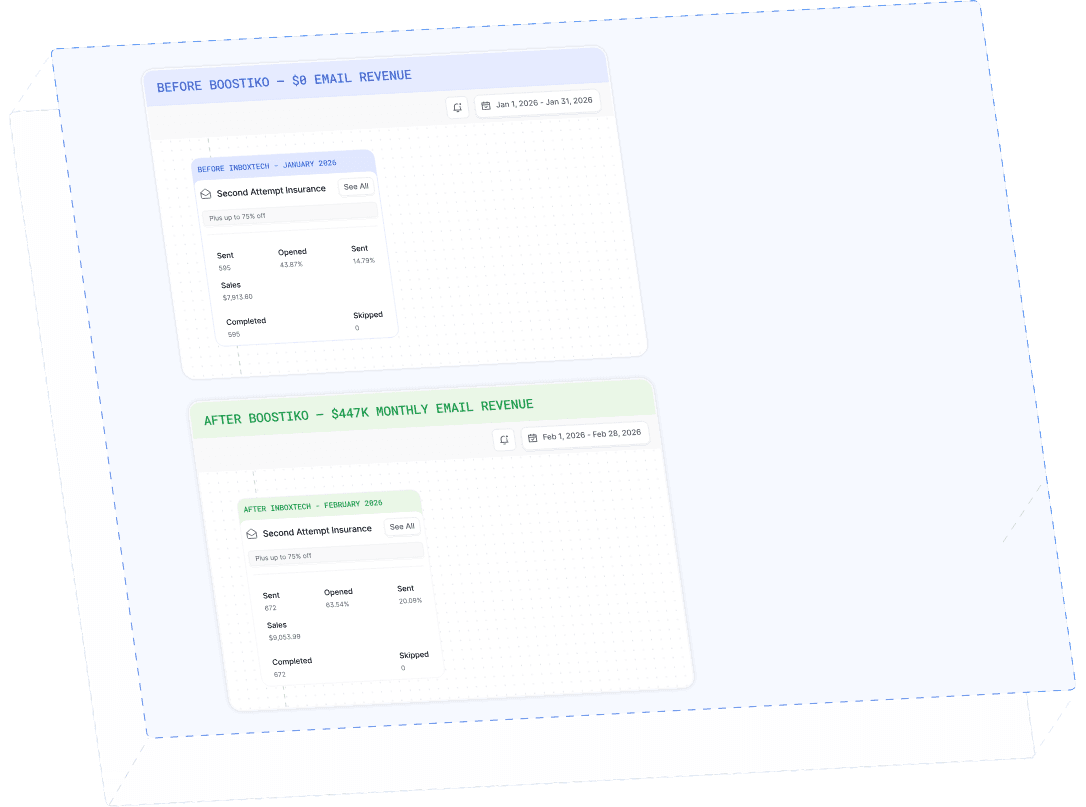
Case Study 01
Leading Prop Firm
$0 - $447K in 3 months
40.7% of total revenue
14 days time to first revenue
$0 to $447,115/month in Added Revenue in 90 Days