•
Boostiko Team

An email in Spam and an email in Promotions need different diagnoses. Spam is a filtering problem. Promotions is a legitimate Gmail inbox category for deals, offers, and other promotional messages. A campaign can reach the inbox successfully without appearing in Primary. Treating both outcomes as the same failure leads to wasted effort and misleading reporting.1 3
The useful question is not “How do we force every campaign into Primary?” It is “Are our messages authenticated, wanted, accepted, and reaching the right audience?” Boostiko’s approach is to address those underlying conditions, then improve the campaign experience around them.
Spam, Promotions, and Important are different
Gmail’s Default inbox can organize messages into Primary, Social, Promotions, Updates, and Forums. Primary includes messages from people the recipient knows and messages that do not fit another category. Promotions is designed for promotional email. Updates can include automated confirmations, notifications, statements, and reminders.1
That means a challenge discount can legitimately belong in Promotions, while an account notification may appear in Updates. Neither outcome automatically indicates damaged sender reputation. Recipients also choose their inbox layout and can move messages between categories, helping Gmail learn their preferences.1
Important is not a universal destination folder. Gmail applies a personalized importance marker using signals such as whom someone emails, which messages they reply to, and what they read, star, archive, or delete. The Important view collects marked messages; it is not a category a marketing agency can secure for every subscriber.2
Boostiko cannot guarantee Primary placement or an Important flag. The practical goal is wanted email with sound sending infrastructure, not making commercial messages look like personal correspondence.
Check authentication across every sending source
Start with the actual messages being sent, not a screenshot showing three DNS records. A brand might use an email platform for campaigns, a CRM for sales, and another system for account alerts. Each source needs verification.
SPF identifies authorized sending infrastructure. DKIM signs messages so receiving systems can verify the signing domain and message integrity. DMARC checks whether a passing SPF or DKIM identity aligns with the domain recipients see in the From address. A message can pass an authentication check without meeting that alignment requirement.3
Inventory every source, then inspect message headers from each one. Confirm the sending provider is authorized in the relevant SPF configuration, DKIM signatures pass, and the SPF or DKIM domain aligns with the visible From domain. Review DMARC reports to find unknown sources and legitimate systems that were missed during setup.3
Google requires at least SPF or DKIM for all senders to personal Gmail accounts. Bulk senders face additional requirements, including SPF, DKIM, DMARC, and alignment. Google recommends all three authentication methods even below the bulk threshold. Also check valid forward and reverse DNS, encrypted transport using TLS, and compliant message formatting with the provider.3
Authentication establishes identity. It does not prove that recipients want the message, and it does not guarantee inbox placement. Fixing DNS while continuing to email an unwanted list leaves a major problem unresolved.
Look at consent, complaints, and frequency
A list collected through explicit signup is different from purchased addresses or contacts added without permission. Audit how each segment joined, what they agreed to receive, and whether the signup set clear expectations. Yahoo specifically recommends honoring the intended frequency rather than turning a weekly subscription into daily email.4
Check campaign and automation frequency together. Someone receiving a welcome sequence, an abandoned checkout reminder, and several promotions may experience more email than the campaign calendar suggests. Frequency caps and exclusions should reflect that combined experience.
Complaints are a direct warning. Google recommends keeping the spam rate reported in Postmaster Tools below 0.10% and avoiding 0.30% or higher. Those figures are not a target to approach. Yahoo also requires low complaint rates, and its calculation uses inbox-delivered mail, so it may differ from the percentage shown by your email platform.3 4
Make unsubscribe easy and test that it works. Applicable bulk marketing and subscribed messages need one-click unsubscribe as well as a visible body link under Google’s requirements. Yahoo says unsubscribe requests should be honored within two days. Removing the link is not a deliverability fix; it removes an easy alternative to reporting spam.3 4
Use recent clicks, purchases, account activity, and explicit preferences to build useful segments. Suppress complaints and invalid addresses, and define an inactivity policy. Opens alone are not reliable evidence of engagement or inbox placement. Google says it cannot verify third-party open-rate accuracy and that low opens do not necessarily indicate a spam-classification problem.3
Protect reputation with consistent sending
Domain and IP reputation matter alongside authentication. On a shared IP, other senders’ activity can affect delivery. Ask your provider about the sending pool and investigate reputation signals rather than assuming a new template will solve an infrastructure problem.3
Avoid suddenly mailing an entire dormant database because a promotion is urgent. Google recommends consistent sending rates, beginning with engaged recipients and gradually increasing volume. Monitor server responses, complaints, and reputation as you expand. If deferrals or bounces increase, reduce volume and investigate instead of pushing harder.3
Separate transactional and marketing traffic by function. Keep account alerts, receipts, and essential service messages distinct from promotional campaigns through appropriately configured sending streams and identities. Google advises against mixing promotions into receipts; Yahoo recommends separating bulk marketing from transactional traffic.3 4
This separation supports clearer operations and reputation management. It is not permission to disguise advertising as a transaction or rotate domains to escape a poor sending history.
Improve the message without chasing filter tricks
Use a recognizable sender identity, an accurate subject line, clear links, and content that matches the signup promise. Google warns against misleading headers and fake reply or forward subjects. A sale should look like a sale, not a private conversation.3
Design should help people understand the offer and act on it. Test mobile readability, accessible text, working links, and a visible unsubscribe. There is no universal image-count rule that guarantees Primary placement. A plain-text-looking campaign can still be unwanted, while a well-designed promotional email can legitimately reach Promotions.
Prop firms, forex brokers, futures prop firms, crypto/Web3 brands, iGaming businesses, and peptides brands need the same evidence-led diagnosis. A niche label alone is not a diagnosis. A forex broker’s platform update and a prop firm’s challenge discount should be assessed according to their purpose, sending setup, permission, and audience response, not treated as interchangeable messages.
Measure inbox placement separately from delivery
A platform’s delivery rate usually describes messages accepted by receiving servers rather than rejected as bounces. Acceptance does not tell you whether the recipient sees Spam, Promotions, or Primary. Report these outcomes separately instead of presenting delivery rate as proof of inbox placement.
Combine provider logs with actual inbox tests across relevant mailbox providers. Seed accounts can reveal authentication failures and placement patterns, but they represent a limited sample, not every subscriber’s personalized inbox. One successful Gmail test does not prove universal Primary placement.
Use Google Postmaster Tools for available authentication, complaint, reputation, and delivery diagnostics. Its Compliance status dashboard helps assess sender requirements. Google’s FAQ says enforcement against non-compliant traffic increased starting November 2025, including temporary and permanent rejections.3 5
Judge changes through several signals: complaints, bounces, deferrals, inbox tests, clicks, and meaningful customer actions. No responsible provider can promise a fixed recovery timeline. Reputation improvement depends on the starting problem and continued sending behavior.
How Boostiko improves deliverability with InboxTech™
Boostiko helps brands fix the problems behind poor email delivery. We start by reviewing your sending sources, authentication, subscriber acquisition, campaign frequency, and available inbox placement evidence. You get a clear view of what needs attention first, rather than another template change that leaves the real issue untouched.
InboxTech™ is our proprietary in-house email technology. We apply it to the campaigns and automated flows we manage, and it is included with every Boostiko engagement. 6
We use InboxTech™ alongside authentication checks, audience segmentation, list cleaning, and campaign monitoring. The aim is to improve how your emails are built and delivered, then check actual placement and engagement. It does not replace sender reputation or subscriber permission, and no technology can guarantee the same Gmail tab for every recipient.
The technical work covers SPF, DKIM, DMARC alignment, and coordination with your sending provider. On the audience side, we plan active segments, suppression rules, preference handling, and a sensible path to expanding sends. Copy, design, and campaign operations work together so your emails match what subscribers signed up for, with account notices kept separate from promotions.
We also make monitoring part of the plan. Complaints, delivery errors, reputation signals, inbox tests, and customer actions help decide what happens next. If a problem appears, there is a defined owner and a clear response, instead of discovering it after another campaign has gone out.
A deliverability problem rarely belongs to one person. Your designer controls readability, your copywriter shapes expectations, your operations team controls frequency, and technical specialists maintain the sending setup. Boostiko brings design, copy, operations, technical, and deliverability support into one coordinated service. The scope and responsibilities are agreed for your brand, so you know what is covered.
Explore Boostiko’s services for prop firms, or use the prop firm email deliverability checklist to prepare your questions. If campaigns are landing in Spam or your reporting cannot distinguish acceptance from inbox placement, contact Boostiko to discuss an audit and a clearly scoped plan.
References
Continue reading



Case Study 01
Leading Prop Firm
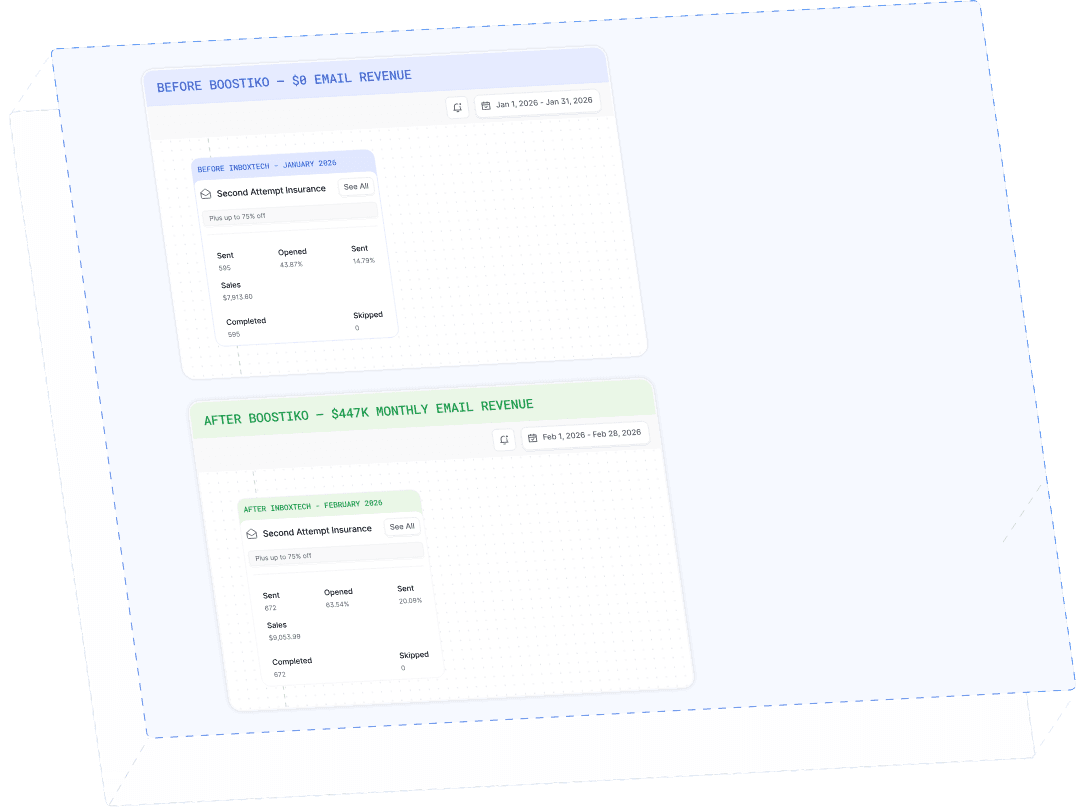
$0 - $447K in 3 months
40.7% of total revenue
14 days time to first revenue
$0 to $447,115/month in Added Revenue in 90 Days