•
Boostiko Team

Prop Firm Email Platform Migration: Move Without Losing Consent
Moving email platforms is not just a contact import. A prop firm also moves permission records, suppression rules, account context and the decisions that control who receives each message. A successful import can still produce an unwanted welcome email or a promotion to someone who opted out.
Treat a prop firm email platform migration as a controlled change of sending ownership. The destination should reproduce the right decisions before it sends anything. That requires a clear boundary between historical data and new activity, plus a plan for changes arriving during the move.
1. Inventory every sending route and assign an owner
List campaigns, automated flows, signup forms, checkout connections, account integrations and API senders. Include messages queued in the old platform, not just active automations. Record which system supplies each trigger and which team can stop it.
Define one sending owner for each message type during cutover. A new signup should not reach two welcome flows because both platforms remain connected. Turning off a campaign calendar does not necessarily stop queued flow messages or integration retries.
Keep essential account notices on a separately validated route while marketing releases pause. Do not assume a purchase makes every subsequent email transactional. The FTC explains that classification depends on a message's primary purpose, with specific limits around transactional or relationship messages. Adding promotions can change that assessment. 4
2. Separate contact profiles from marketing permission
An email address, customer profile or purchased challenge is not itself a marketing consent record. Build the import around distinct fields: identity, account ID, consent status, consent source, timestamp and scope, where available. Missing evidence should stay missing, not become a migration date presented as original consent.
Split explicitly subscribed contacts from opted out and unknown records. Quarantine contradictory statuses until someone checks their source. Match consent to the relevant channel rather than treating email permission as permission for every channel.
Klaviyo's migration guidance allows bulk subscription updates only where everyone in the file explicitly consented. That is a Klaviyo import control, not a reason to mark an entire CRM export subscribed in another platform. 1 2
Use your prop firm email preference center choices as inputs to the mapping. Test how those preferences translate into destination exclusions before moving live forms.
3. Move suppressions before enabling any sends
Export unsubscribes, historical bounces and other relevant suppression records separately. Preserve reasons and dates where available, and document how each reason maps to the new platform. An inactive subscriber and a person who opted out are not interchangeable.
Check the exact coverage of the old provider's migration integration. Klaviyo documents different behavior for supported providers, including a Constant Contact suppression sync that depends on a do not mail list ID. Its manual process uses a separate suppression import where those records have not synced. Do not assume a connector transfers every exclusion automatically. 1
Reconcile counts by status, then inspect individual exceptions. A matching total can hide subscribers incorrectly converted from suppressed records. Confirm that importing or updating a profile cannot accidentally restore its marketing eligibility. Keep sends disabled until those controls pass.
4. Pause welcomes and distinguish history from events
Put destination automations into a non sending state before importing contacts. In Klaviyo, the documented instruction is to put list triggered welcome flows into Draft before import, including checking scheduled changes that could make them Live. Use the destination provider's actual controls rather than assuming every platform has that same setting. 2
Import useful historical properties without replaying them as fresh triggers. Preserve original dates and source labels for challenge purchases, account changes and engagement history. Loading last year's purchase should not enroll someone in today's purchase sequence.
Klaviyo can store imported dates such as last opened or last clicked as custom properties. Those properties do not create native Opened Email or Clicked Email events. A segment using native events therefore needs different logic from one using imported history. 2
Document both paths. Historical records support initial audience selection; genuine new events control ongoing enrollment after cutover.
5. Rebuild flow eligibility from current account state
For email marketing for prop firms, eligibility often depends on more than subscription status. Someone may own multiple challenges, have moved to another account stage or be waiting for a payout. An old event can be accurate while the offer it once triggered is now irrelevant.
Agree which operational system supplies current account status. Map account IDs explicitly so one customer's newest account does not silently overwrite another account's state. Decide whether each flow evaluates the person, a particular account or a specific purchase.
Before activating a flow, check its entry condition, exclusions and behavior when status changes midway. An evaluation offer should not continue merely because the original enrollment event remains in history. Treat ambiguous or stale account data as a reason to hold enrollment until resolved, rather than guessing eligibility from a segment name.
6. Set the cutover boundary and reconcile the delta
Choose a recorded cutoff time and identify what the initial export contains. Then define how later signups, optouts, preference changes and account updates reach the destination. Include timezone and event identity in the handover notes so teams can trace records around the boundary.
Pause marketing releases, not data capture. Keep new permissions and withdrawals flowing into a controlled collection route throughout the migration. If both systems must temporarily receive updates, ensure only the assigned owner can send each message.
Apply a final delta before activation. That delta is not just newly created profiles: it includes changes to existing contacts and fresh suppressions. Reconcile failed imports and integration retries against the same boundary.
For each flow, choose how to handle people who qualified during the pause. Controlled enrollment is safer than replaying every historical event. Record which queued messages were cancelled, retained or moved so a retry cannot create a second send.
7. Test decisions, forms and message infrastructure
Use synthetic profiles or a restricted set of authorized test recipients. Include subscribed, suppressed and unknown permission states, plus relevant account stages. Inspect exclusion behavior without sending real test messages to people who opted out.
Test a signup through the live form route, a preference update, an unsubscribe and an account status change. Check that each reaches the intended profile and changes the correct flow decision. Verify links, sender identity, postal details and the destination of replies.
Have the technical owner validate the new provider's authentication records and message headers. Avoid removing DNS records that other legitimate senders still need. Google's personal Gmail guidelines distinguish requirements for all senders from additional bulk sender requirements, including authentication and unsubscribe controls for applicable marketing messages. Those are Gmail requirements, not a universal rule for every mailbox provider. 3
Use the prop firm email deliverability checklist for supporting checks without letting it replace migration acceptance testing.
8. Control the first send and protect rollback
Start with a limited, clearly eligible audience supported by recent engagement and valid permission. Do not base selection on opens alone. Verify the actual recipient list against suppressions and current account exclusions before release.
Monitor provider feedback, rejections, deferrals, unsubscribe processing and unexpected flow enrollment. Compare records and message logs across systems to detect duplicates. Google recommends gradual, consistent sending and monitoring when infrastructure or message headers change; it does not guarantee that provider messages will pass spam filters. There is no universal migration warmup timetable. 3
Define stop conditions before sending, such as broken optout handling, incorrect eligibility or duplicate delivery. Assign someone who can pause the destination promptly.
Rollback must preserve the newest withdrawals and exclusions. Returning sending ownership to the old platform is not permission to restore an earlier subscriber snapshot. Reconcile all post boundary suppressions into the fallback system before any marketing resumes. If that cannot be verified, keep marketing paused while the team fixes the data path.
9. Retire old tools without breaking old optout links
Do not cancel the old service just because the first campaign succeeds. Check late integration updates, pending retries, queued messages and old signup embeds. Remove obsolete sending connections only after confirming their replacements work and outstanding changes are reconciled.
Old emails remain in inboxes. Their unsubscribe links may still point to the former provider, so preserve a working mechanism and route resulting optouts to the current sending owner. Check what account closure does to those links before terminating the contract.
For US commercial email, the FTC says the optout mechanism must work for at least 30 days after sending, and requests must be honored within ten business days. Other applicable rules and provider requirements may differ. Outsourcing email does not remove the business's responsibility. 4
Restrict retained exports to authorized users. Keep a completion report of counts, exceptions and ownership decisions, with a defined retention plan for personal data rather than an indefinite archive of raw subscriber files.
Where Boostiko fits
Boostiko can help turn the migration plan into audience rules, flow specifications and a practical testing checklist. The focus is continuity: preserving permission, using current account context and preventing two systems from sending the same message.
If you are changing platforms, contact Boostiko to discuss the existing setup and the proposed cutover. Start with the records and decisions that must survive the move, then build the new platform around them.
References
Continue reading



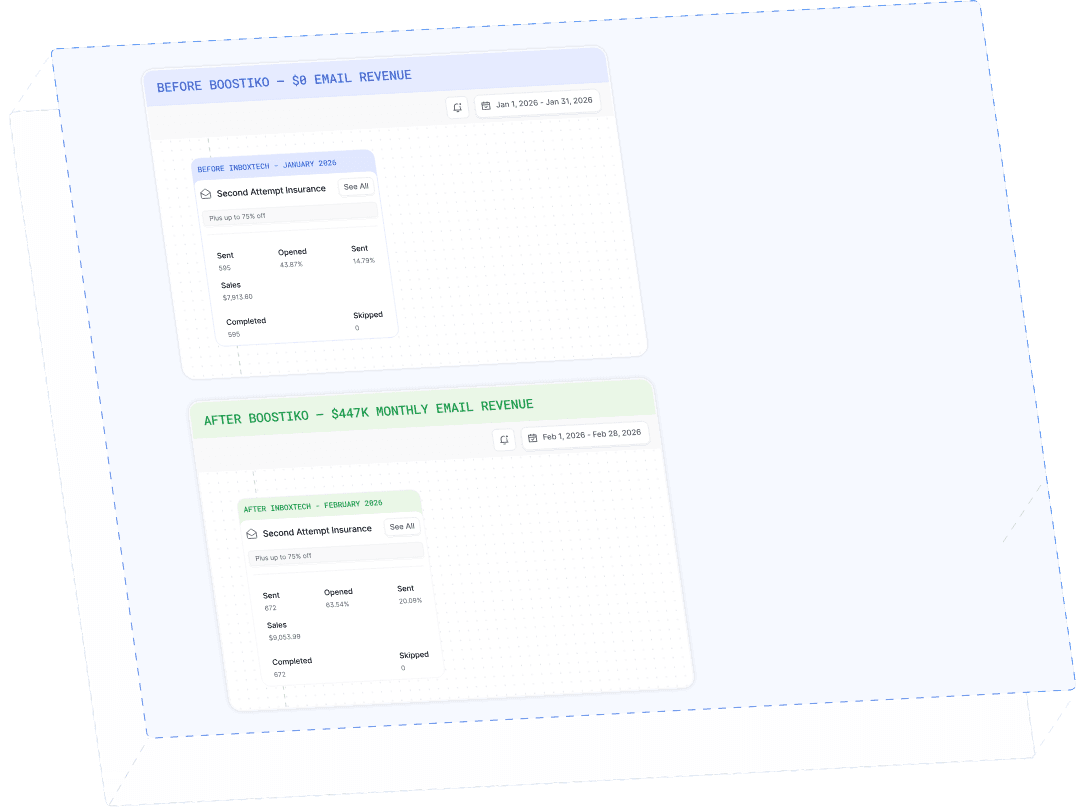
Case Study 01
Leading Prop Firm
$0 - $447K in 3 months
40.7% of total revenue
14 days time to first revenue
$0 to $447,115/month in Added Revenue in 90 Days