•
Boostiko Team

Web3 Prop Firm Email Deliverability: Catch Problems Before the Next Send
The campaign has gone out. Your email platform shows delivery activity, but that does not tell you whether messages reached the inbox, whether one mailbox provider is rejecting them, or whether an automated flow sent the wrong message twice.
Useful email marketing for Web3 prop firms needs a monitoring routine between sends, not just a report at the end of the month. The aim is to catch a problem, establish its scope and make a safe decision before another campaign adds pressure.
Web3 prop firm email deliverability monitoring starts with knowing what each signal can establish. No single dashboard can prove that every recipient saw your message.
Read delivery signals without overclaiming
An accepted or delivered event generally describes a transport outcome under your platform’s definition. It is not proof of inbox placement or attention. Check how the provider defines that status before using it in a report.
A deferred message has encountered a temporary delivery obstacle. A bounce records a failure, but the reason matters more than the label alone. A skipped or suppressed recipient is different again: do not include that person among successful deliveries simply because the campaign finished.
Complaints and unsubscribes show recipient feedback within the reporting system’s coverage. They deserve investigation, but neither tells you what happened to every message. Low complaints can coexist with poor placement. Missing complaint data is not evidence of a clean send. 1
Keep transport, recipient feedback and business outcomes separate. Combining them into one “health score” can hide the specific problem your next action needs to address.
Respect provider scope and reporting delays
Google Postmaster Tools covers outgoing mail to personal Gmail accounts. It is not a report for every inbox provider or all Google Workspace mail. Some dashboards use only DKIM authenticated messages, and low volume can leave data unavailable for privacy reasons. 1
Its data is not real time. Updates typically arrive within 24 hours, sometimes later, while compliance changes can take multiple days to appear. Google reports in UTC, so reconcile that window with your campaign timestamps before comparing results. Dashboard scope can also differ: the compliance dashboard aggregates the primary domain and subdomains. 1
Google’s spam rate concerns messages delivered to engaged recipients’ inboxes and then manually reported as spam. It is not an inbox placement percentage. Mail automatically routed to spam can leave that rate deceptively low, and a third party report may use a different dataset. 1
Use current delivery events for immediate triage and delayed provider data for context. A blank dashboard is not permission to send more, and a stale warning is not proof that a correction failed.
Keep a compact campaign and event log
Give each campaign and automated message a record that an operations owner can reconcile. Capture the message or campaign ID, sender stream and domain, mailbox provider group, send window and timezone, and latest observation time.
Record the eligible intended audience separately from sent, accepted, deferred, bounced and skipped counts, where your platform exposes them. Include complaint and unsubscribe indicators, error categories, the responsible owner and the current stop or resume decision.
Every rate needs its numerator, denominator and reporting window. A bounce percentage based on attempted sends is not interchangeable with one based on an intended audience that includes suppressed profiles. Preserve counts so the team can explain changes rather than compare unlike percentages.
Compare the same mailbox group and message category across comparable windows. A blended campaign average can conceal a Gmail issue when other providers remain normal. An onboarding message also needs a different comparison from a broad announcement.
For always running flows, link the triggering event to the message record. Keep secrets, wallet keys, seed phrases, trading balances and raw customer details out of shared monitoring logs. Use restricted records when recipient level investigation is necessary.
Inspect raw bounce reasons before changing anything
Klaviyo distinguishes hard bounces, which indicate permanent failures, from soft bounces, which indicate temporary failures. It automatically suppresses hard bounce addresses and has handling for repeated soft bounces. Those policies and available screens are specific to the platform. 3
A soft bounce does not necessarily mean an invalid address. It can reflect sending frequency or volume, reputation, technical trouble or mailbox availability. Review provider breakdowns and the raw rejection reason, not just the campaign’s headline bounce rate. Klaviyo’s deliverability bounce details and recipient activity can help identify the category, reason and bounce type. 3
Separate an unknown recipient rejection from a temporary volume rejection before deciding what to fix. Preserve the original reason in your incident record so another owner can verify the diagnosis.
Do not undo permanent suppressions to improve a chart. If a customer reports an address mistake, use a verified correction process and preserve their consent status rather than guessing a replacement address.
Triage the failure in a consistent order
Start by checking whether the expected message was created once, for the correct eligible audience. A missing trigger, duplicated event or broken CRM sync is not the same problem as a mailbox provider refusing a message. Trace the event and campaign record before blaming content.
Next, identify the affected stream, provider and time window. Compare recent audience expansion, campaign overlap and sending volume with the prior comparable send. Check the actual rejection reasons and whether sender configuration or platform settings changed.
Then review complaints, unsubscribes and delayed provider dashboards for supporting context. Google recommends keeping its reported spam rate below 0.10% and avoiding 0.30% or higher. The latter is not a complaint budget or a target, and the recommendation concerns Google’s defined reporting scope. 2
Only after those checks should you consider message relevance or creative changes. Keep a named incident owner, with technical support for transport issues and marketing operations for audience or event problems. Record what is known, what remains uncertain and who can authorize the next send.
Pause narrowly when the evidence supports it
When bounces or deferrals increase, Google recommends reducing sending volume until SMTP errors decrease and investigating the cause. 2 Do not keep the next promotion running simply because its schedule was approved earlier.
Pause the affected marketing campaign, flow or provider group when you can reliably identify and control that scope. If the scope is unclear, a broader marketing pause may be safer. Check that stopping a campaign does not leave another overlapping flow continuing the same problem.
Resume only after documenting the cause or strongest supported diagnosis, the correction and a controlled verification. Use a capped restart to currently eligible subscribers, with an owner watching actual provider events while delayed dashboards catch up. There is no universal recovery timetable or guaranteed inbox outcome.
Reconcile queued messages, platform retries and completed sends before releasing anything again. Do not resend to recipients already sent, restore opt outs or switch domains to evade reputation problems. Authentication matters, but it does not guarantee inbox placement. 2
Preserve consent and necessary operational notices
A marketing incident should not become a reason to bypass subscriber choices. Keep preferences, unsubscribes and suppressions intact through exports, imports, platform changes and outage recovery. An account relationship does not automatically authorize every promotional message.
Keep necessary account notices and service alerts in their own reliable process. Monitor that path too, but do not add offers to it or use it to reach suppressed marketing contacts. If an incident affects the operational stream itself, escalate it as a service issue rather than assuming those notices are safe.
Under the US CAN-SPAM framework, a message’s primary purpose determines its treatment. Commercial messages require accurate identity and subjects, a valid postal address, advertising identification as required and a clear opt out. Review applicable local laws and provider policies rather than treating US rules as universal. 4
The separation should remain visible in the log, incident decision and recovery plan, not just in a campaign naming convention.
Measure outcomes without open only conclusions
Monitor acceptance, failure reasons, complaints and unsubscribes alongside valid clicks, replies and relevant downstream actions. Report what those measures actually show. A click can indicate activity without proving that the broader audience received inbox placement.
Do not suppress people or declare recovery solely because opens fell or rose. Open data alone cannot establish the delivery cause or whether a recipient wants continued marketing. Review permission, message history and provider evidence together.
Make every comparison explicit about audience, category, provider and elapsed reporting time. Separate observed changes from explanations that still need testing. Better monitoring makes failures visible and decisions traceable; it does not establish revenue uplift or guarantee the next send will reach the inbox.
For the underlying setup, see our Web3 prop firm email sender strategy. For checks before an automated flow goes live, use our Web3 prop firm email automation testing guide. This monitoring routine picks up after those checks, when actual sending evidence becomes available.
A hypothetical operations scenario
Imagine a community announcement encounters temporary Gmail volume rejections while onboarding notices remain normal. This is an illustrative scenario, not a client result.
The owner checks raw rejection reasons, audience expansion and overlap with other promotions. They pause the affected announcement, preserve suppressions and verify whether the operational stream is genuinely unaffected. After correcting the identified sending issue, they authorize a controlled restart for the remaining eligible audience and watch fresh events.
The conclusion is limited: the evidence points to a specific sending problem. It does not prove that the Web3 niche caused it or that inbox placement has recovered everywhere.
Where Boostiko fits
Boostiko can help turn campaign reports into a practical monitoring process, with clear ownership across email operations, technical investigation and deliverability review. Your firm remains responsible for verified customer status, permissions and service requirements.
If your next send depends on understanding what happened to the last one, contact Boostiko to discuss a monitoring routine with useful evidence, safe escalation and documented restart decisions.
References
Continue reading



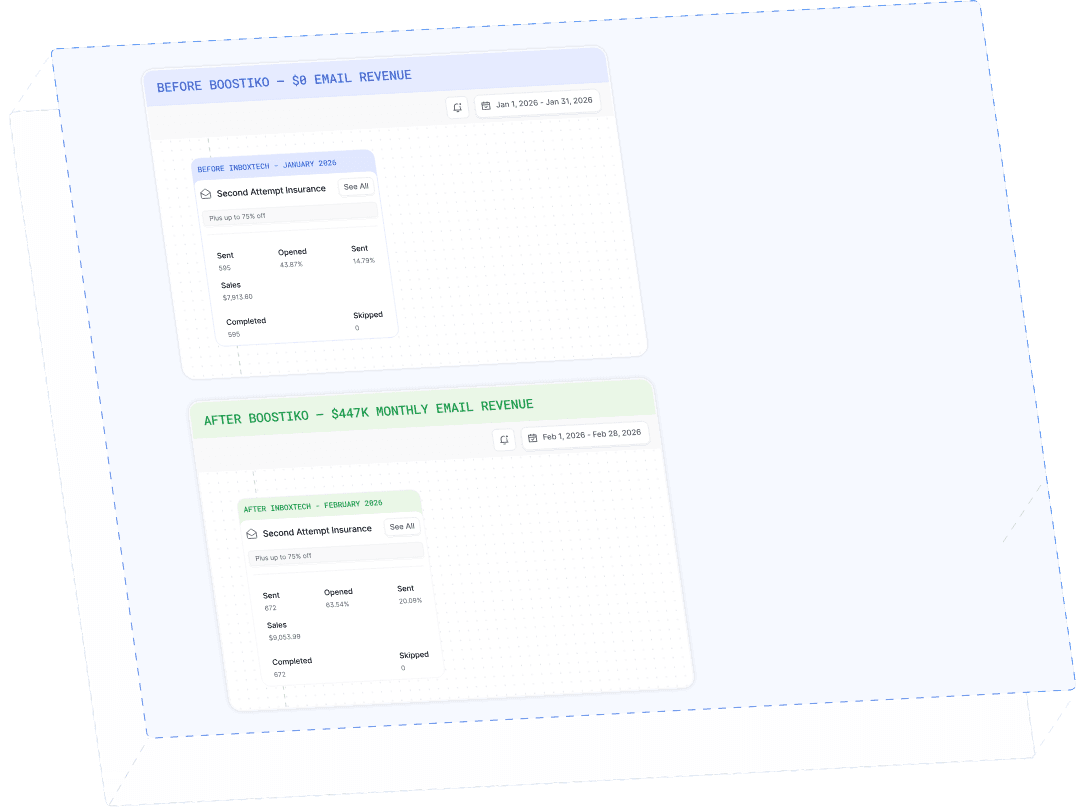
Case Study 01
Leading Prop Firm
$0 - $447K in 3 months
40.7% of total revenue
14 days time to first revenue
$0 to $447,115/month in Added Revenue in 90 Days