•
Boostiko Team

Web3 Prop Firm Email Sender Strategy: Keep Product Alerts Separate From Promotions
A Web3 prop firm can have a strong offer, a clean product, and a capable support team, then still lose trust through one confusing email.
The usual issue is not the design. It is that every message comes from the same sender, uses the same urgency, and points to links the recipient did not expect. A password or wallet access alert looks like a promotion. A promotion looks like a product notice. A legitimate platform update arrives beside a discount code. People stop knowing what to trust.
That is a serious problem in any financial or Web3-adjacent category. Recipients are already alert to phishing, impersonation, unexpected wallet prompts, and copied brand domains. CISA warns that phishing messages often rely on urgency, requests for sensitive information, untrusted links, or incorrect sender addresses. When a message feels suspicious, the safer choice is to avoid its links and use a verified route to reach the company instead. 3
A better sender strategy makes each type of email easy to recognise before the reader even opens it. It also gives the marketing team a cleaner way to run campaigns without weakening important service communication.
This article explains how to build that system.
Start with three message categories
Do not begin with email templates. Begin by deciding what kind of email you are sending.
For most Web3 prop firms, three categories are enough to make the system understandable.
1. Product and security notices
These are messages about account access, login activity, password resets, platform availability, a material change in program rules, a service incident, or a security action a customer needs to understand. They should be factual, calm, and specific.
A good product notice answers four questions quickly:
What happened?
Who is affected?
What does the person need to do, if anything?
Where can they verify the information safely?
Keep the subject line literal. “Password reset requested” is better than “Action needed now.” “Platform maintenance scheduled for 14:00 UTC” is better than “Important update.”
Do not add a promotion to the footer of an access or security email. Google advises senders not to mix different message types in the same email and gives account notifications and promotions as distinct categories. 1 The FTC also looks at the primary purpose of a mixed message. A relationship message can become commercial if its subject line or the prominent content promotes a product or service. 2
2. Program and account education
These messages explain a process the person has asked about or is already using. Examples include how an evaluation works, where current rules live, a new dashboard feature, or how to contact support.
Education can be useful to a prospect or a customer, but it still needs an audience rule. Do not send an active participant a general sales primer that ignores their current state. Do not send an early prospect a dense account notice that assumes they have a program login.
The best educational emails have one job. Explain one change, answer one recurring question, or guide the reader to one source of truth. If the message needs a disclosure, put it close to the statement it qualifies rather than hiding it under a large visual block.
3. Marketing and offers
This is where launches, promotions, event invitations, content, testimonials, and general lifecycle campaigns belong. The intent can be commercial, but it should be clear and consent-aware.
Commercial email has different obligations. The FTC says commercial messages need accurate header information, a non-deceptive subject line, a valid postal address, a clear opt-out route, and timely opt-out handling. 2 This remains true in B2B contexts. An agency, platform, or sending provider does not remove the brand’s responsibility.
The practical rule is simple: if the email is trying to sell, say so honestly and send it through a marketing route with the right suppression logic.
Give each category a recognisable sender identity
You do not need a long list of inboxes. You do need consistency.
A simple setup could look like this:
alerts@yourdomain.comfor security and important product noticesupdates@yourdomain.comfor program, account, and operational educationhello@yourdomain.comornews@yourdomain.comfor marketing
The exact local part matters less than the pattern. Pick names that explain the email category, keep them stable, and use them consistently.
Gmail recommends that messages in the same category use the same From address. It also says display names should identify the sender clearly and should not include message content, fake urgency, or language that looks like a thread reply. 1
That means “Boostiko Product Alerts” is easier to trust than “URGENT UPDATE from Boostiko,” even if both use the same underlying address. The display name tells the recipient what kind of email they are receiving. The sender address gives them a repeatable thing to recognise.
For a Web3 prop firm, consider publishing a short help-center page that lists official sender addresses and explains what the firm will never ask for by email. For example: never ask a person to disclose a seed phrase, private key, or password. Keep that page linked from security notices and make it easy to find from the main website.
Treat the sender domain as infrastructure, not just branding
A good sender name alone cannot solve authentication or reputation problems.
Gmail requires all senders to personal Gmail accounts to use SPF or DKIM. Bulk senders must use SPF, DKIM, and DMARC. Google recommends all three, with aligned authentication, to help protect recipients from impersonation and reduce the chance that messages are rejected or marked as spam. 1
At a minimum, your email operations team should know:
Which platform sends each message type
Which sending domains and subdomains are in use
Who owns SPF, DKIM, and DMARC changes
Which From address maps to each flow or campaign
Which list, event, or system action triggered the email
Where bounces, complaints, unsubscribe events, and spam feedback are reviewed
Do not add a new sender address inside a campaign tool and assume it is ready. Authenticate the sending domain, confirm alignment, send controlled seed tests, and document the owner before expanding volume.
If you use both a marketing platform and an application email service, separate the roles. Your app may send password resets and account notices. Your marketing platform may send newsletter and offer traffic. The point is not to create artificial complexity. The point is to make ownership, logging, and recipient expectations clear.
Build the product alert email differently
A product alert should feel safe, not exciting.
Use this structure:
Clear subject line. State the event without hype.
Reason for the email. Explain why this person received it.
Plain-language detail. Describe what changed or what was detected.
One safe next step. Tell the reader what to do, or clearly say that no action is required.
Independent verification route. Link to a public status page, help center, or the firm’s main site. Avoid asking people to use an unfamiliar shortened link.
Support path. Give a clear way to get help.
Avoid countdowns, flashing visual treatment, and “act now or lose access” language unless there is a genuine and clearly explained deadline. CISA identifies urgent or emotionally appealing language as a common phishing sign. 3 A legitimate firm should not copy the patterns that make recipients suspicious.
For sensitive notices, do not ask the recipient to reply with personal data. Do not ask for passwords, recovery codes, private keys, seed phrases, or payment details. If an action is needed, direct the person to type the firm’s known website into their browser or use a previously established authenticated channel.
Create marketing rules that protect operational trust
Marketing has a place in the lifecycle. It just needs a separate operating model.
Start with a basic decision tree:
Is this message primarily a service, security, or account notice? Use an operational sender and exclude promotional blocks.
Is it primarily product education? Use an update sender, set a clear audience, and include a simple next step.
Is it primarily intended to promote a product or service? Use a marketing sender, check consent and suppression rules, and include the correct unsubscribe path.
Do not use a security incident, rule update, or platform maintenance notice as a disguised sales opportunity. It can damage trust quickly. It can also create a classification problem if the promotional content becomes the main reason a recipient would think the email was sent.
For campaigns, use audience controls that are grounded in reliable data. Suppress people who recently complained, unsubscribed, hard bounced, entered a sensitive support case, or received an operational message that should not be interrupted. Distinguish a prospect from an active program participant. A person who downloaded a guide should not receive the same messaging as a person with a live account.
Make verification part of the user experience
The goal is not to teach every customer how email authentication works. The goal is to make it easy for them to recognise a real message and avoid a fake one.
A practical trust layer includes:
A public page naming official sender addresses
Consistent sender display names by message type
A visible status page for service incidents and planned maintenance
Links that use your recognised domain, not random shorteners
A short line in sensitive messages that says the firm will never ask for private keys, seed phrases, or passwords by email
A support page that tells readers how to report suspicious messages
This also helps the support team. Instead of answering every “is this real?” ticket from scratch, agents can point to a consistent verification process.
Review the system every month
Sender strategy is not a one-time deliverability project. Product changes, new channels, new integrations, new markets, and new campaign owners can all make the system harder to understand.
Once a month, review a small dashboard:
Sent volume by sender and category
Delivery, hard bounce, complaint, and unsubscribe patterns
Spam-rate and reputation signals where available
The most common support questions caused by email
Authentication status for every active sending domain
Any new From address, template, or tool added during the month
Google recommends monitoring domain reputation and spam rate in Postmaster Tools, and it advises keeping reported spam rates below 0.10% while avoiding 0.30% or higher. 1 Treat a rising complaint rate as a relevance and trust issue, not only an inbox-placement issue.
Where Boostiko fits
Boostiko helps Web3 prop firms build email systems that are easier for recipients to understand and easier for teams to operate. We combine lifecycle strategy, copy, design, technical implementation, and deliverability into one working system.
That can include sender and domain mapping, product notice templates, clear campaign rules, consent and suppression logic, welcome and education flows, operational QA, and reporting. Your team keeps ownership of product facts, program terms, customer data, approvals, and jurisdiction-specific compliance decisions. We turn those inputs into usable emails and reliable processes.
If your sender setup makes every email look the same, or your product updates and promotions keep getting mixed together, talk to Boostiko about a Web3 prop firm email audit and build plan.
FAQs
Should a Web3 prop firm use a different sender for promotions and security alerts?
Usually, yes. A stable, category-specific sender identity makes it easier for recipients to recognise important communication and helps your team keep promotional content out of sensitive service messages. Use a small number of clear, documented addresses rather than creating new identities for every campaign.
Can an account update include a promotion?
It can, but mixing the two creates trust and compliance risk. The FTC assesses mixed commercial and relationship messages by their primary purpose. If the message is mainly promotional, treat it as marketing and include the appropriate commercial email controls. 2
What should a security email never ask for?
It should never ask a recipient to provide a password, recovery code, seed phrase, private key, or other sensitive credential by email. Give a safe verification route through your known website or support process instead.
Is sender authentication enough to stop phishing?
No. SPF, DKIM, and DMARC help protect your sending identity, but people still need clear communication and safe verification paths. Use consistent sender names, familiar links, restrained urgency, and public support routes together. 1 3
References
Continue reading



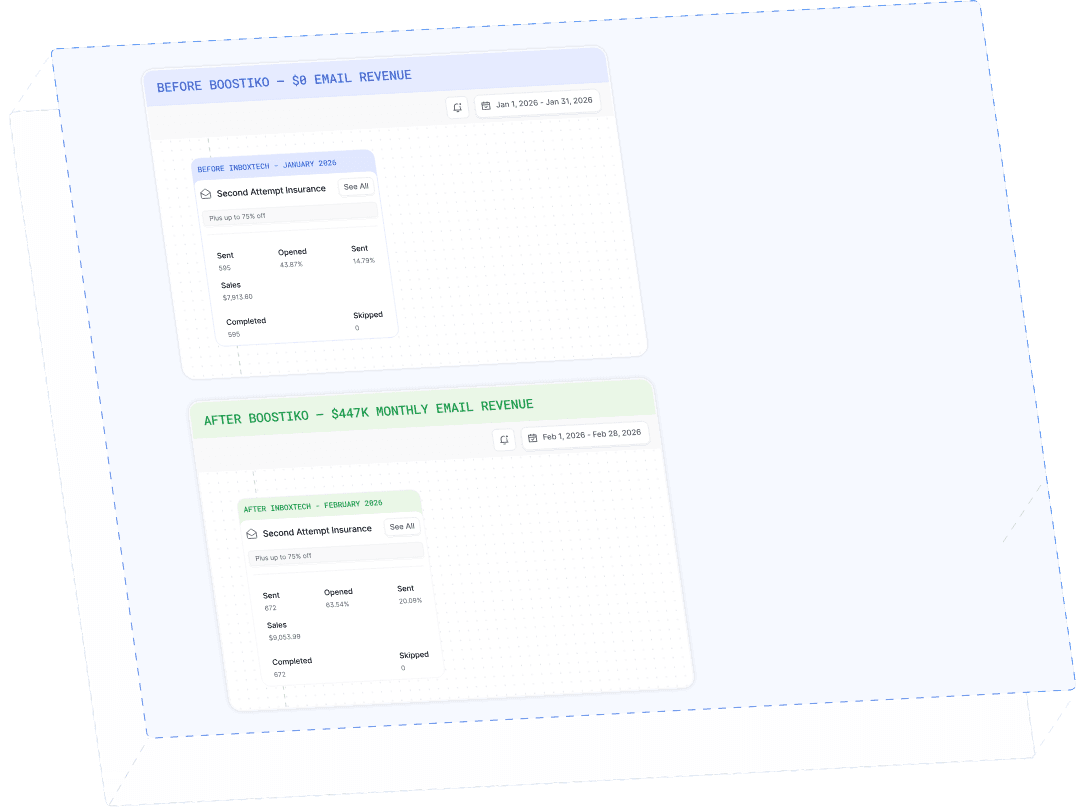
Case Study 01
Leading Prop Firm
$0 - $447K in 3 months
40.7% of total revenue
14 days time to first revenue
$0 to $447,115/month in Added Revenue in 90 Days