•
Boostiko Team

Forex Broker Webinar Emails: Connect Invitations, Reminders and Follow-Ups
A client registers for your webinar, then receives another invitation. Someone who attended gets a message saying they missed it. A replay email arrives before the recording is ready. These are coordination problems, not copy problems.
Good forex broker webinar emails connect the whole event journey. Each message needs a clear purpose, a reliable audience and a reason to stop. For a practical example, consider a support session showing people how to navigate a demo platform, find help and understand the interface. The goal is to make the session easy to access and useful afterward, not push recipients toward a deposit.
Start with one shared event record
Before writing, agree where the event details live. Give each webinar a unique identifier and record its approved agenda, presenters, intended audience, language and reply owner. Store a canonical time in UTC alongside the display time zone used in communications. Include registration status, cancellation or rescheduling status and whether the approved replay is available.
Attendance needs its own status. Distinguish confirmed attendance, no attendance recorded and attendance unknown. An unavailable report does not prove someone was absent. Keep marketing permission separate from registration and attendance so neither becomes a shortcut into another campaign.
Assign one sending owner to each message. The event platform might handle confirmations and access reminders while the CRM handles invitations and reviewed followups. Zoom, for example, offers confirmation, reminder and separate attendee and absentee followup settings, plus calendar attachments. Controls can depend on account settings and locked permissions, so check the actual configuration rather than assuming every user can change it. 1
Audit both systems before adding a sequence. Do not remove a platform confirmation until you know another approved message will deliver valid join credentials.
Invite the right audience once
An invitation should explain who the session is for, what it covers, when it happens and how to register. A demo navigation session can cover locating platform help, understanding screen layouts and using a practice environment. Avoid promises about profits, trading outcomes or readiness for live trading.
Use an audience eligible for that invitation under the applicable rules and recorded preferences. Remove existing registrants before each invitation send, not just when the campaign is first built. Exclude people whose permission changed, and stop the invitation if the event is cancelled. A queued email should not bypass those checks.
The following excerpt is illustrative, not a real send. Its date is only an example:
Subject: Join our demo platform navigation session
On 18 November 2026 at 14:00 UTC, our support team will show you where to find platform help and how to navigate the demo interface. We will use a simulated environment, not live execution. The session does not provide trading advice or signals, and demo activity does not establish live trading readiness.
View the agenda and register. For access questions, reply to our support team.
Show the duration and presenter details on the registration page. Keep the agenda consistent across the invitation, page and presentation.
Separate registration from ongoing marketing
Registering requests access to a particular event. It should not silently become permission for indefinite promotional campaigns. Where appropriate, offer a separate, explicit marketing choice and record it independently from the details needed to deliver the webinar.
Legal treatment depends on jurisdiction and message content. Under US CAN-SPAM guidance, commercial messages need truthful headers and subjects, required advertising identification, a physical postal address and a clear opt out. Transactional categories are narrow, and the primary purpose matters when a message mixes content. Do not declare every free webinar confirmation legally transactional or assume a replay with an offer is only event administration. 4
Keep access emails focused on the requested event. Review promotional invitations and replay offers as their own messages. Apply relevant local law and provider rules, and maintain suppression records. A registration form, an attendance report and a marketing preference answer different questions.
Confirm access and make reminders useful
The confirmation should give the recipient the correct session time, access instructions, calendar option and support route. Treat personal join links carefully. Avoid replacing them with a generic page that cannot actually admit the registrant.
As a proposed schedule, use a confirmation after approved registration, a reminder the day before and a short reminder near the start. This is a starting point, not a required cadence. Adapt it to registration timing and the session format. Someone registering shortly before the event may not need several messages containing the same information.
Every reminder should recheck event status and registration eligibility. If the webinar is cancelled, stop queued reminders and send a clear cancellation notice through the designated owner. If rescheduled, update the event record, time display, calendar information and access details before sending a correction. Prevent the old schedule from continuing in parallel.
For regional audiences, verify language and time zone presentation together. Our guide to forex broker email localization explains why these details need more than a translated subject line.
Follow up on facts, not assumptions
Start followups after the event has actually ended, not simply when its scheduled end time passes. Reconcile the attendance report first. If the report is delayed, hold attendance specific messages or use neutral wording that does not claim someone attended or missed the session.
Confirmed attendees can receive thanks for joining. People with no attendance recorded can receive a neutral replay invitation without being accused of missing the event. Unknown attendance should remain unknown. A watch count also does not establish comprehension, suitability or readiness for a live account.
Send a recording link only when the replay is ready and approved. Check that it opens for the intended audience and that participant names, private questions and other personal information are handled appropriately. Review recording permissions and sanitize material before publishing it.
This second excerpt is illustrative, not a real send, and suits an unknown attendance status:
Subject: The demo navigation session recording is available
The approved recording covers finding help and navigating the demo interface. Whether you joined live or want to review it now, you can watch the session using the link below.
Watch the recording. If an access step is unclear, reply with your question. Our support team can help with navigation, but this session does not provide trading advice.
A useful second stage might ask whether the recipient needs clarification, if permitted. Stop there unless another message has a separate, valid purpose. The event should not open an endless weekly sequence by default.
Keep the entire journey within review
Calling a webinar educational is not a blanket exemption from financial promotion rules. An invitation, replay or call to action may still advertise the broker or its products. For promotions within the UK regulatory scope, the FCA requires communications to be fair, clear and not misleading, with product specific requirements and perimeter considerations. This is not a statement of worldwide law. 2
Review the landing page, registration form, slides, live presentation, replay and followups together. Exclude guaranteed outcomes, profit forecasts, deposit pressure and unsupported result screenshots. Use current materials approved for the relevant product and region rather than copying generic risk wording into every template.
Route replies to a person responsible for support. Automated acknowledgements can confirm receipt, but should not generate investment guidance. Categorize questions by practical themes such as access, calendar timing or navigation. Use aggregated tags for planning rather than carrying private participant details into marketing reports.
Test the paths before sending
Build internal test profiles for an eligible invitee, a registrant, confirmed attendance, no attendance recorded, unknown attendance and withdrawn marketing permission. Use fake internal data, not existing clients or real webinar registrations.
Test cancellation and rescheduling while messages are queued. Check that registrants stop receiving invitations, stale reminders stop, delayed reports do not create false attendance claims and an unavailable replay cannot trigger its email. Confirm that support replies reach the assigned owner.
Check sender setup as part of launch readiness. Gmail requires SPF or DKIM for all senders to personal Gmail accounts, and SPF, DKIM and DMARC for bulk senders. Its bulk marketing and subscribed message requirements include one click unsubscribe. Use a consistent From identity within each message category, accurate subjects and current opt out and complaint suppression. Authentication does not guarantee inbox placement. 3
Measure the journey without overstating it
Report registrations, delivered messages, access problems and attendance using consistent definitions. If you calculate attendance among registrants, keep registrants as the denominator and disclose any reporting limitations. Review replay access and recurring support questions to improve the next session.
Do not treat a recording view as proof of learning. Do not credit every later deposit to the webinar. An assisted conversion report can show an association without proving the event caused the action. A support session is successful when its practical purpose is delivered clearly, not when reporting invents a financial outcome.
Where Boostiko fits
An inhouse team can own this journey when it has capacity across copy, design, campaign operations, technical integration and deliverability. An agency model can bring those five roles together in one package. Compare coverage, review processes and coordination needs rather than assuming a particular salary or guaranteed saving.
Boostiko's full team model connects those disciplines around one event plan. Copy explains the session, design makes access clear, operations controls the audience, technical integration connects event status, and deliverability supports responsible sending. The broker still owns its approvals and regulatory responsibilities.
Contact Boostiko to discuss a webinar journey that connects invitations, reminders and useful followups without losing the details between systems.
References
Continue reading



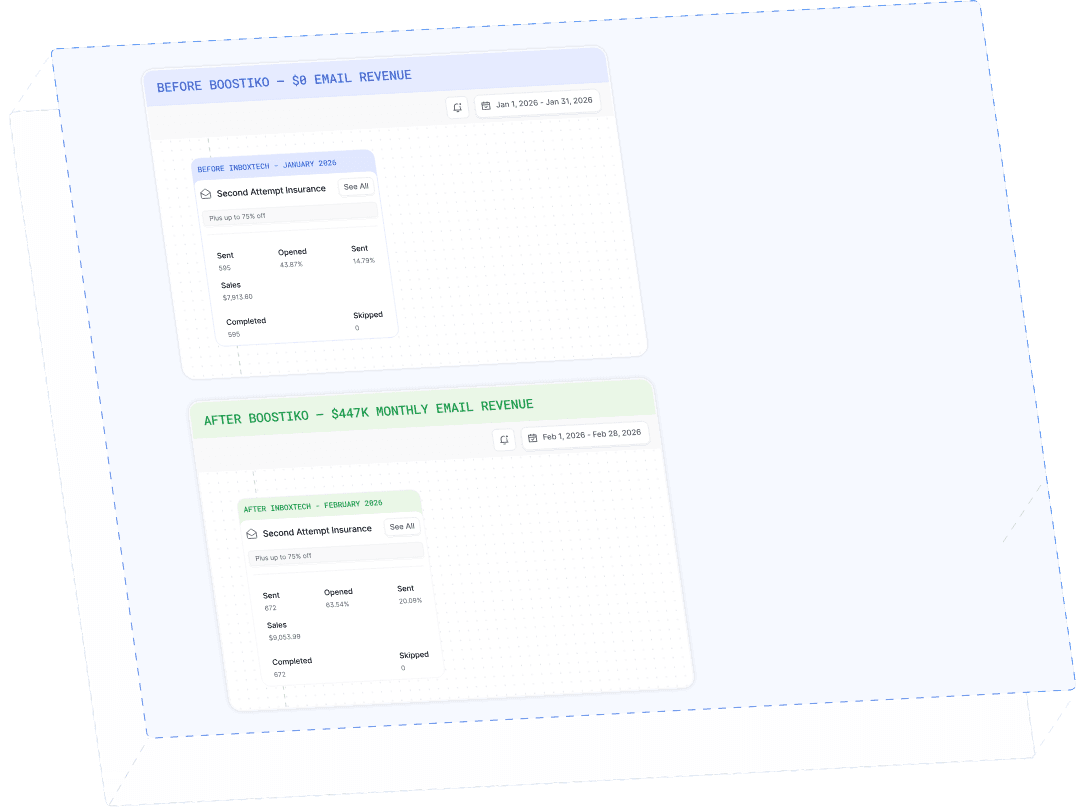
Case Study 01
Leading Prop Firm
$0 - $447K in 3 months
40.7% of total revenue
14 days time to first revenue
$0 to $447,115/month in Added Revenue in 90 Days