•
Boostiko Team

Perpetual Prop Firm Support Follow-Up Emails: Keep Customers Informed Until the Issue Is Resolved
A customer reports an account-access problem. Support receives the request, but the customer sees nothing. Then an automated offer arrives. The offer may be unrelated, yet the sequence makes the firm look unaware of the unresolved issue.
Perpetual prop firm support follow-up emails should connect the customer-facing conversation to what support is actually doing. This is part of perpetual prop firm email marketing, but it is not another promotional sequence. It needs to reflect the firm's actual account model and the current support state.
The job is straightforward: acknowledge the request, share useful public updates, explain the resolution, and handle a reply that reopens the issue. Promotional journeys should respect that state rather than continue as if nothing happened.
Make the helpdesk the source of truth
Start with the system that owns the support conversation. The helpdesk should determine whether a ticket exists, who owns it, which comments are public, and whether it is awaiting action, solved, or reopened. Your email service provider, or ESP, should consume those facts, not invent ticket status from email opens or clicks.
Define a small event contract. Useful fields include the event ID, ticket ID, customer ID, event type, event time, current ticket status, and public-comment visibility. Keep sensitive material in the support system. Marketing profiles do not need identity documents, passwords, or financial account details.
Map events to specific actions: a new request can trigger acknowledgement, a public agent comment can trigger an update, and a solved transition can trigger a resolution message. Zendesk's standard triggers provide product-specific examples of received-request and public-comment notifications, plus internal notification when a solved ticket is reopened.2
Decide which system sends each message. If the helpdesk already sends acknowledgements, do not also send an ESP acknowledgement for the same event. The ESP can maintain suppression state without sending a second email. Record that ownership decision before building the flow.
Acknowledge the request without inventing a deadline
An acknowledgement should answer three questions: did you receive the request, where should the customer reply, and what happens next? Include a ticket reference and a working route back to the conversation.
Do not turn receipt into a promise that someone has reviewed the issue. Do not publish a response deadline unless operations has approved it and can maintain it. A customer waiting for account access needs accurate information, not reassuring language that the team cannot support.
Illustrative acknowledgement:
Subject: We received your support request: [ticket reference]
Your request about [issue category] has been received. You can reply to this email to add information or view the conversation in [support portal]. Our support team will review the request.
Use an issue category only when it is accurate and suitable for email. A neutral ticket reference is safer than a subject containing sensitive account information. Keep the message focused on the request, with no discount banner or invitation to buy another account.
Send public progress, not private working notes
A progress email should contain something the customer can use: an explanation, a request for missing information, or a confirmed next step. Internal notes, staff handoffs, and diagnostic chatter do not belong in customer notifications.
Public-comment visibility must be part of the trigger conditions. Zendesk distinguishes public request and comment notifications from other ticket activity; copy that distinction into your integration rather than forwarding every change.2
Illustrative progress update:
Subject: An update on support request [ticket reference]
We reviewed the access issue you reported. Please use [secure support link] to provide the additional information requested in your ticket. Reply in the same conversation if you need help with that step.
Only send this after the review and request have actually occurred. If there is no meaningful update, a timer should not manufacture one. A delayed check-in can be useful, but its wording and timing should reflect the team's real process, not a generic daily send schedule.
Explain what solved actually means
A ticket marked solved is a workflow state. It is not automatic proof that an account change has taken effect or that the customer can use the service again.
Keep these facts separate. The helpdesk owns ticket status. The account or service system owns confirmed changes, such as an access setting being updated. If a message states that a change was completed, require confirmation from that system or an authorised agent working from verified information.
Illustrative resolution message:
Subject: Resolution recorded for support request [ticket reference]
Your ticket has been marked solved. The resolution is: [verified summary]. If the issue continues, reply to this conversation so support can review it again.
Do not say “your access is restored” when the only evidence is a solved status. Zendesk's solved-ticket workflow uses a solved status change, public comment, and agent condition. It also recommends excluding that transition from the general comment notification to prevent duplicate messages.1
Apply the same principle wherever you build: one resolution event should produce one customer notification, not both a comment email and a solved email containing the same update.
Treat reopening as a real state change
When a customer replies that the solution did not work, the next action is support review, not a fresh sales sequence. Update the ticket state, route the reply to the responsible team, and restore any suppression that depends on the issue being unresolved.
Do not assume every helpdesk reopens tickets identically. Define what your platform does with replies to solved or closed tickets, including when it creates a new linked ticket instead. Zendesk documents an internal assignee notification for a reopened solved ticket; that is not itself a customer-facing progress update.2
Track multiple tickets per customer. A single has_open_ticket boolean can fail when closing ticket A sets it to false while ticket B remains unresolved. Maintain the underlying ticket records and derive an open_ticket_count from your defined unresolved statuses.
Promotional eligibility should remain blocked while that count is above zero under your suppression policy. Keep separate holds for disputes or account reviews that may outlast a ticket's solved status. Never clear all holds just because one ticket closed. Reconcile the count against the helpdesk periodically to catch missed events or identity mismatches.
Deduplicate events and recheck delayed sends
Helpdesk events can arrive twice, arrive late, or be retried after a connection failure. Store the event ID with the intended action and channel. Use an atomic uniqueness check so two workers cannot both claim the same notification. Where the sending provider supports an idempotency key, use it to protect retries after an uncertain send result.
An event's timestamp also does not prove that its status is still current. Before any delayed follow-up sends, fetch or reliably reconcile the latest ticket state. Check whether a newer public update already went out, whether the ticket was solved or reopened, and whether the customer still needs that message.
Cancel stale queued messages. A “we are still reviewing” email sent after a resolution can undo the clarity of an otherwise good support exchange.
Keep promotions away from unresolved issues
Make suppression a shared sending rule, not a label that only one campaign checks. Promotional broadcasts, purchase reminders, renewal offers, and cross-sell journeys should all consult the current support and dispute holds before sending.
Essential service communication can continue where appropriate. Suppression should not prevent a security notice or the support reply the customer is waiting for. Separate operational and promotional categories so one can be blocked without silencing the other.
Do not add promotional pressure during disputes. Avoid coupons in an apology, urgency claims beside a complaint update, or suggestions to purchase while an account decision is under review. Solving a ticket also should not trigger an immediate offer by default. Resume only when the relevant holds are cleared and the customer remains eligible for marketing.
A support request is not marketing consent. The FTC explains that transactional or relationship categories are narrow and that a message's primary purpose matters. Being an existing customer does not automatically make every support-labelled email exempt from commercial-email requirements.4 Keep promotion permissions separate and assess applicable consent and anti-spam rules. This is not a legal guarantee.
One boundary belongs in the copy: an administrative account decision is not trading advice. Where account status is relevant, distinguish simulated from live clearly rather than implying that a support resolution changes the trading model.
Keep delivery and measurement operational
Use a consistent, recognisable sender for support messages. Gmail's guidance calls for SPF or DKIM for all senders to personal Gmail accounts, and SPF, DKIM, and DMARC for bulk senders. It also advises consistent From addresses within a message category and keeping promotional content out of operational messages.3
Use truthful subjects, recognisable links, and no artificial “Re:” prefix. Authentication helps meet sender requirements; it does not guarantee inbox placement.3
Before launch, test duplicate events, private notes, two open tickets, reopening, stale delays, and simultaneous helpdesk and ESP triggers. Confirm that replies reach support and that promotions remain suppressed during a dispute.
For shared incidents, connect ticket replies to accurate service updates using the approach in perpetual prop firm platform maintenance emails. Keep support reporting separate from commercial attribution. The guidance on prop firm email revenue reporting helps keep those revenue claims grounded.
Where Boostiko fits
Boostiko brings practical operations, tech, copy, design, and deliverability into one team. That means mapping ticket events, assigning message ownership, building deduplication and suppression rules, writing useful replies, and designing readable templates without turning support into a sales pitch.
The work should also include testing state changes and checking sender setup before launch. If your helpdesk and marketing platform are sending conflicting messages, contact Boostiko to build a support follow-up system that reflects the customer's actual situation.
References
Continue reading



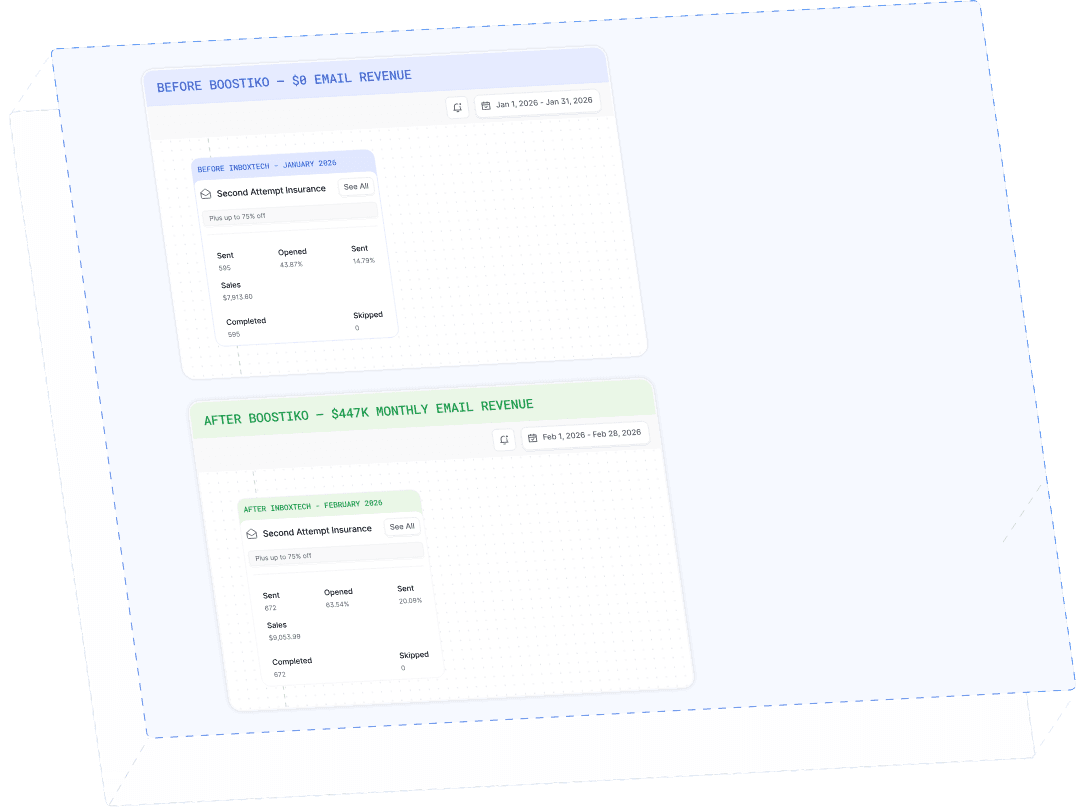
Case Study 01
Leading Prop Firm
$0 - $447K in 3 months
40.7% of total revenue
14 days time to first revenue
$0 to $447,115/month in Added Revenue in 90 Days